![SCYTHE-LOGO-2.png]](https://support.scythe.io/hs-fs/hubfs/SCYTHE-LOGO-2.png?height=40&name=SCYTHE-LOGO-2.png)
Overview
The Email Security feature allows you to send simulated phishing emails that deliver a test campaign binary to a target email address. Emails can include the binary as a direct attachment or as a download link in the message body. This gives your team a straightforward way to test how your email security stack handles potentially malicious payloads — without leaving the SCYTHE platform.
Note: This feature must be enabled and configured by SCYTHE on a per-instance basis. If you do not see the Email Security option in your environment, contact SCYTHE Support to have it activated.
How to Use It
Step 1: Open the Email Security Dialog
Navigate to the MyOps page and locate the Email Security card.
Click the card to open the Email Security dialog.
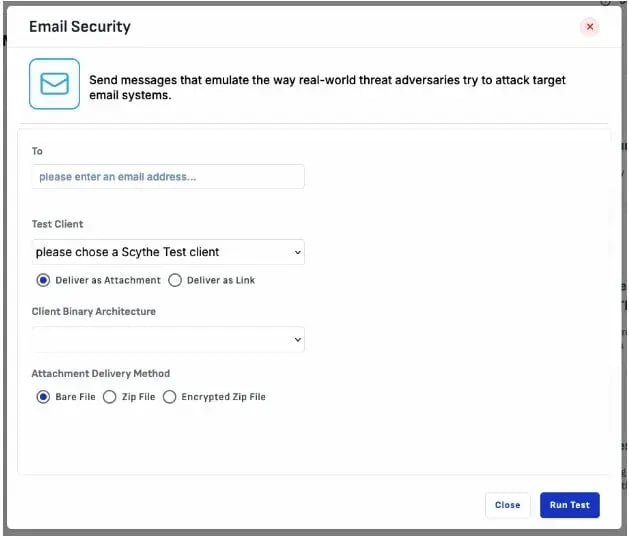
Step 2: Configure Your Test Email
In the dialog, fill in the following fields:
- To — Enter the destination email address for the test.
- Test Client — Select an existing SCYTHE test client from the dropdown.
- Delivery method — Choose one of the two radio button options:
- Deliver as Attachment — The test binary is included as a file attachment.
- Deliver as Link — The email body contains a download link to the test binary. These are the same links generated by the Deploy Test Directly option in the Test Actions panel.
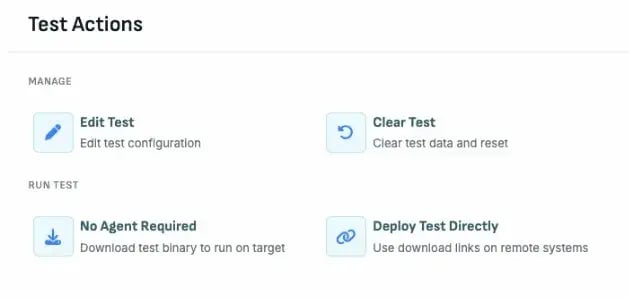
- Client Binary Architecture — Select the appropriate architecture for the target system from the dropdown.
Step 3: Choose an Attachment Delivery Method (Attachment Only)
If you selected Deliver as Attachment, choose how the binary file is packaged under Attachment Delivery Method:
- Bare File — The binary is attached as-is (e.g.,
campaign.exeor the appropriate format for the selected architecture). - Zip File — The binary is placed inside a standard zip archive.
- Encrypted Zip File — The binary is placed inside a password-protected zip archive. The password is
password.
Many email systems automatically reject executable attachments. Using the zip or encrypted zip options can help the test file bypass some of these filters, giving you a more realistic picture of what your defenses catch at each layer.
Step 4: Send and Monitor
Click Run Test to send the email. You can then monitor whether the message was delivered, quarantined, or blocked by your email security tools.
What the Emails Look Like
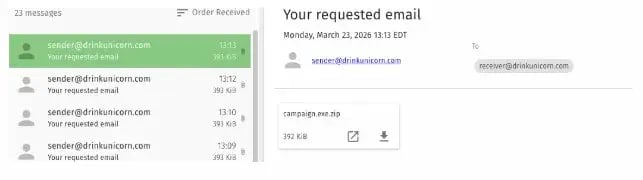
All emails sent through this feature originate from the @drinkunicorn.com domain. The specific sender address is configured at the instance level, so all Email Security messages for your organization come from the same address.
Attachment email example:
The attachment email arrives with the subject line "Your requested email" and includes the test binary as an attachment (in this case, campaign.exe.zip).
Link email example:
The link email also arrives with the subject line "Your requested email" and contains a clickable link (labeled "Click Me!") that points to the test binary download.
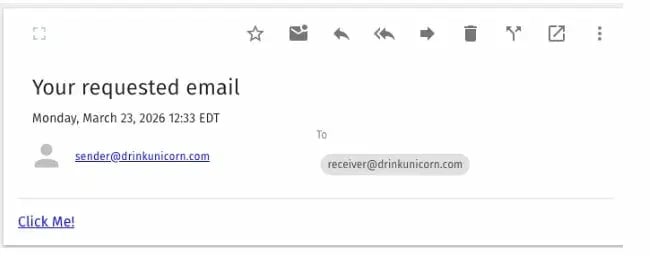
The current email templates are intentionally minimal. SCYTHE plans to refine these based on customer feedback.
FAQs
Q: Why don't I see the Email Security card on my MyOps page? This feature is enabled on a per-instance basis by SCYTHE. Contact SCYTHE Support to request activation for your environment.
Q: Will these emails land in the inbox or get caught by spam filters? It depends on your email security configuration. SCYTHE has configured the sending domain with DKIM and SPF authentication, which reduces the default spam score and helps emails pass through some automated blocking. However, your organization's specific filtering rules and security tools will determine the final outcome — which is exactly what this feature is designed to help you evaluate.
Q: What is the password for encrypted zip attachments? The password is password.
Q: Can I customize the email content or sender address? The sender address is set at the instance level by SCYTHE and cannot be changed by end users. Email content is currently a standard template. SCYTHE is accepting feedback to improve customization in future updates.
Q: Where do the download links come from in link delivery mode? The links are the same ones generated by the Deploy Test Directly option in the Test Actions panel for the selected test.